


Can You Watch Netflix Abroad? What Actually Changes (2026)
By  Ignas Simkus|Last updated: 3 September 2026|How we test
Land in another country, open Netflix, and your watchlist has been rearranged by a licensing lawyer: same account, different catalogue. I hit this on every multi-month winter escape, so the fixes below are habit, not theory. Three fixes exist, one of them is free and works on planes, and the other two involve knowing which tools still work this month.
Article Summary
- Always works: download your shows at home before you fly
- Mostly works: a VPN with a server in your home country, from a provider that actively maintains streaming access
- Know this: your account travels fine; it is the catalogue that changes with your IP address
- Other services: BBC iPlayer, Hulu and most sports streams are stricter than Netflix
Why your watchlist changed
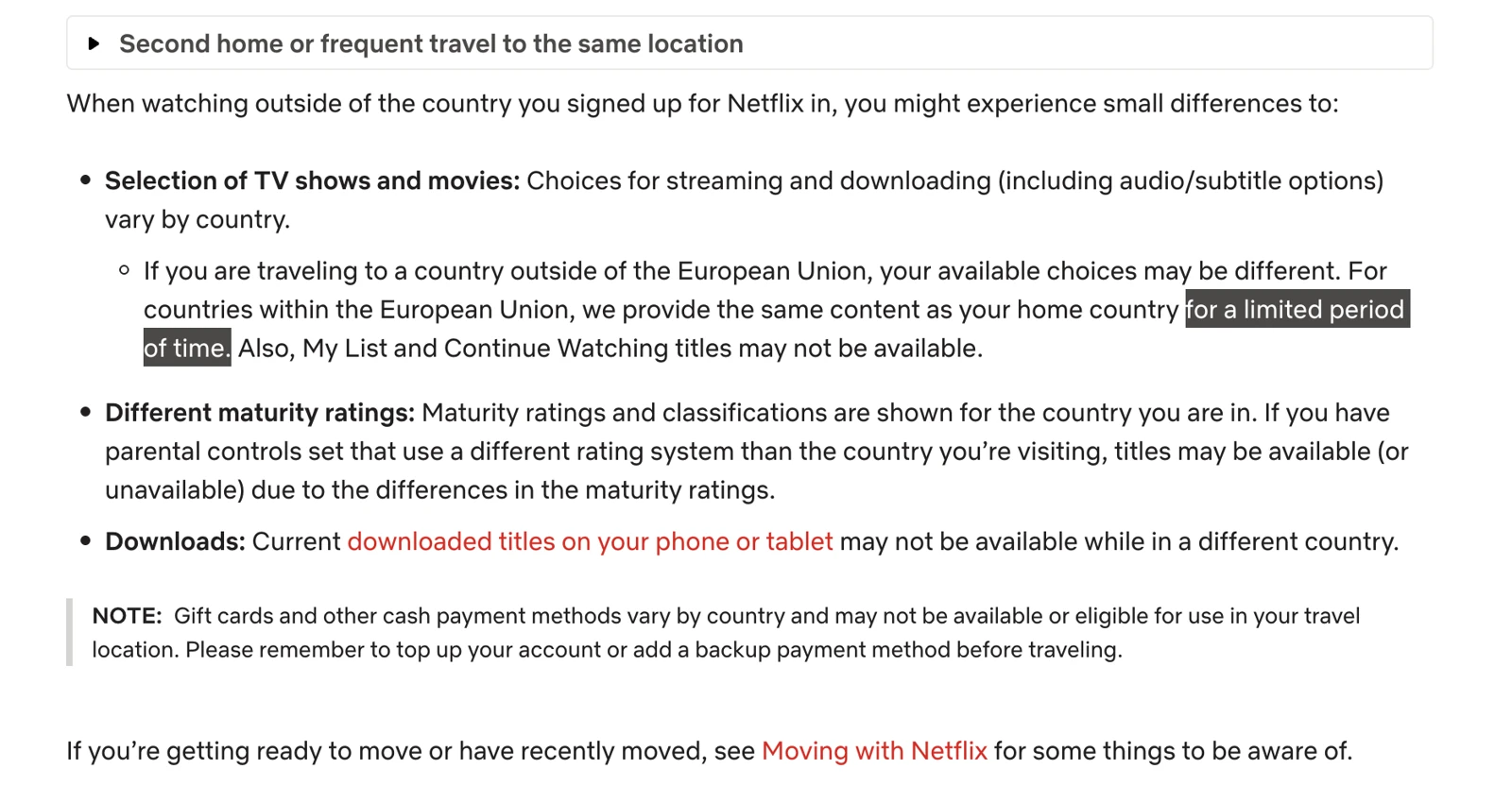
Netflix licenses shows country by country, so the service shows you the library of whichever country your IP address sits in. Netflix’s own travel help page is upfront about it: your account works everywhere, Netflix originals follow you, but licensed titles appear and disappear at the border. Mid-series on something licensed, that is how a show vanishes overnight.
One button worth knowing before any of the fixes below: if Netflix’s household verification challenges you abroad (“this TV isn’t part of your household”), the prompt includes an “I’m traveling” option that sends a verification code to the account’s email or phone and unlocks that device temporarily. (Don’t confuse it with Netflix’s separate household rule, which simply expects the account to connect to its home network at least once every 31 days.) For hotel-TV logins on a normal-length trip, that button is usually the entire solution and no tooling is required.
The same geography applies with more force elsewhere: BBC iPlayer wants a UK IP address full stop, US-only services like Hulu block foreign access outright, and sports rights are the strictest of all.
Fix one: downloads, the boring winner
Downloaded titles live on the device and mostly do not care where you are: no VPN, no wifi quality, no detection risk, and they work on the plane. The night before you fly, download the series you are mid-way through on your phone or tablet at home. The honest asterisk: “mostly”. Some downloads can expire mid-trip or stop playing when their license terms object to your new region, so and here is the catch we confirmed ourselves: a downloaded title keeps playing abroad only if that show is also licensed in the country you are standing in. Otherwise it turns unplayable or quietly vanishes from the app. Downloads are a fine backstop for the flight; for actually keeping your library anywhere in the world, the VPN route below is the one that works.
Fix two: the VPN route, with the honest asterisks
Connect to a VPN server in your home country and streaming services see a domestic IP address: home catalogue restored. That is the theory, and in practice it holds only with providers that fight the ongoing detection war. Streaming services block known VPN IP ranges continuously; the providers that maintain streaming access rotate and refresh their addresses continuously back. Among our travel picks, NordVPN has the strongest sustained record of keeping major-platform streaming working in our own testing, where Nord, Surfshark and Proton all held, which is one of the reasons it leads our travel VPN ranking; the full review covers its streaming record specifically.
The asterisks, plainly: it can fail on any given day, sports and live events fail most, and a detected VPN usually means a proxy-error screen rather than anything worse. Netflix’s terms treat location-masking as a violation it may act on with technical measures rather than a punished offence; accounts do not get banned for it in any documented pattern, but the fine print exists and you should know it does.
Fix three: the eSIM detail nobody mentions
Some travel eSIMs route data through gateways in another country, which means your cellular IP address may sit somewhere other than the country you are standing in. That cuts both ways: it can accidentally restore a home-ish catalogue, or hand you a third country’s library entirely. If streaming on cellular matters to you, check where your travel eSIM provider routes its traffic; it explains otherwise-baffling behaviour, and in China it is a feature in its own right.
Beyond Netflix: the strict ones
Netflix is actually the lenient end of the spectrum, because your account works everywhere even when the catalogue shifts. The others are stricter in instructive ways.
BBC iPlayer requires a UK IP address to play anything at all, making it the pure test of whether your VPN’s UK servers are currently clean; it is also historically one of the more aggressive VPN-blockers, so expect more retry-another-server moments than Netflix produces.
US-only services (Hulu, YouTube TV, Peacock) block foreign access outright rather than swapping catalogues, and several also dislike payment methods from abroad, a second wall the VPN does not touch. Live sport is the strictest category of all: rights-holders enforce geography hardest exactly when the event is live and you care most, so a sports-dependent trip should test its specific service and server combination from home, before the flight, while there is time to change plans.
Amazon Prime Video and Disney+ sit between: partial catalogues travel with you like Netflix, with the same licensed-title shuffling at borders. The download-before-you-fly move works on both and remains the only approach that has never had a bad day.
The pre-flight streaming checklist
| Do at home | Because abroad |
|---|---|
| Download current series to phone/tablet | The only method with a 100% hit rate |
| Install the VPN and test home-server streaming once | First login from abroad trips more checks |
| Note which services you actually need | iPlayer and sports need the VPN; Netflix originals do not |
| Check hotel wifi will handle streaming, have a data fallback | Hotel bandwidth is the real bottleneck, and its own topic |
FAQ
Will my Netflix account work in another country?
Yes. Log in anywhere and it works; the catalogue around it changes to the local one, and that is the only difference most travellers notice. Your plan, profiles and downloads all travel with you.
How long can I watch Netflix abroad on holiday?
For a normal trip, indefinitely. The household rules target people permanently sharing an account across homes, not travellers: Netflix says devices on your account can stream while travelling, and a hotel TV may occasionally ask for a one-time verification code. Weeks-long trips are fine; moving abroad permanently is the case where the primary-location machinery eventually wants an update.
Why does Netflix show different content abroad?
Licensing. Netflix buys rights country by country, so the catalogue follows your IP location. Your account works everywhere; the shelf around it changes.
Can I just download shows before flying?
Yes, and you should: downloads made at home generally stay watchable abroad since they were licensed where you downloaded them. It is the zero-drama answer for flights and patchy hotel evenings.
Will Netflix ban my account for using a VPN?
Bans do not happen; blocks do. The worst case is the proxy-detected screen until you switch servers. Across years of trips this has been an inconvenience arms race, never an account risk.